Go Back
About PAM Users Management
This section offers information on user lists, access history, and roles to help manage platform permissions.
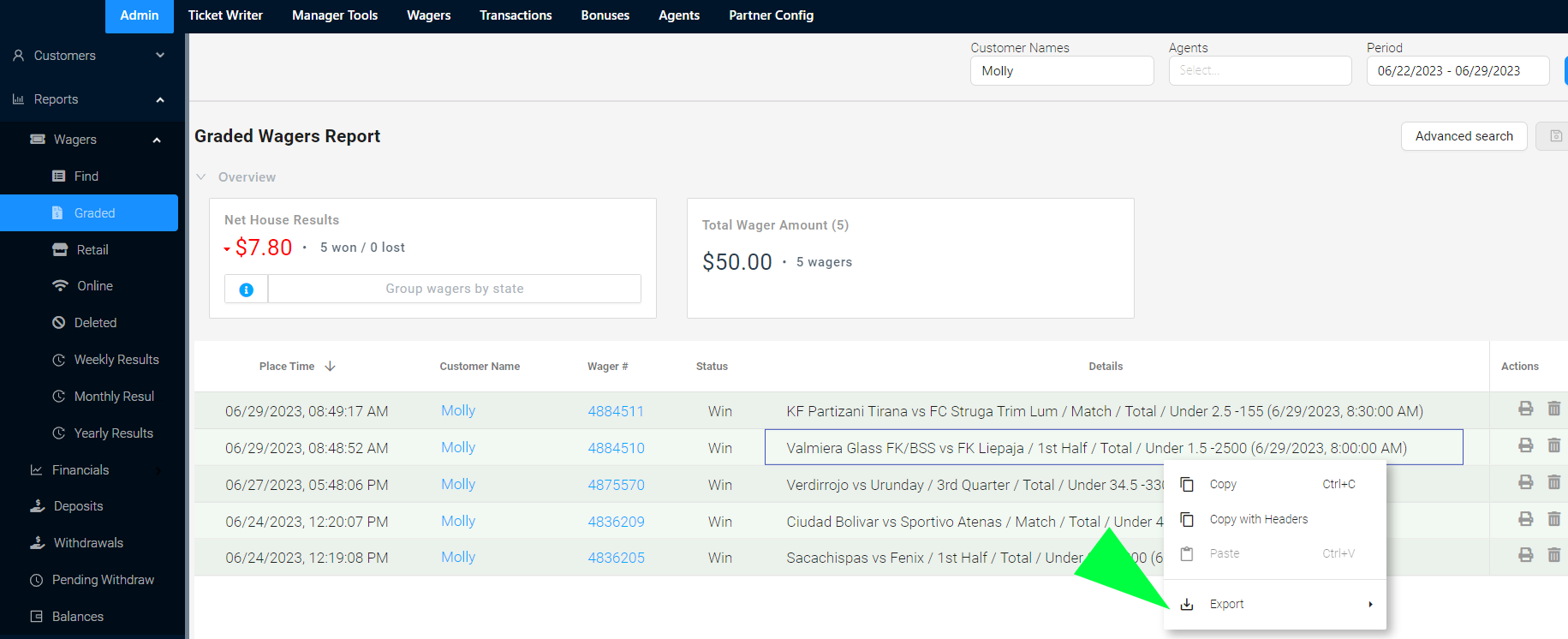
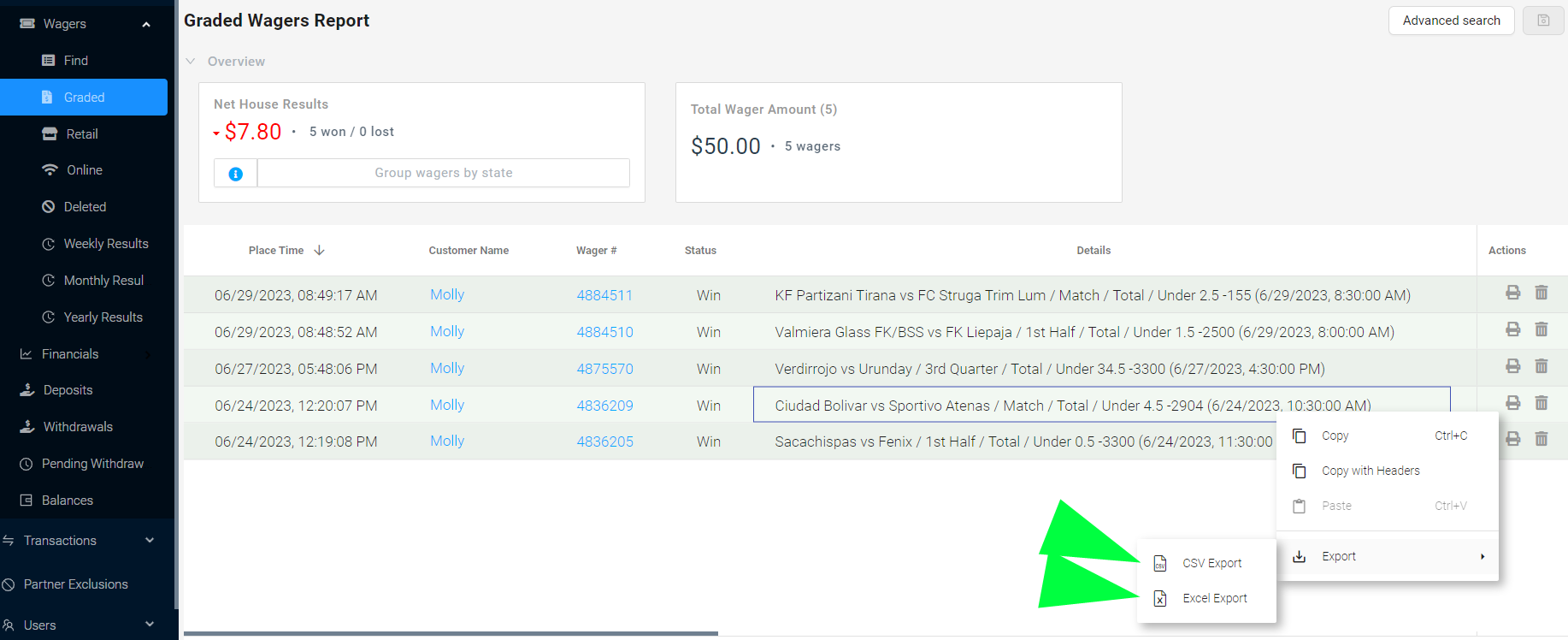
- 1. Run the report needed
- 2. Click right on any section of the dashboard
- 3. Click 'Export'
- 4. Save your report
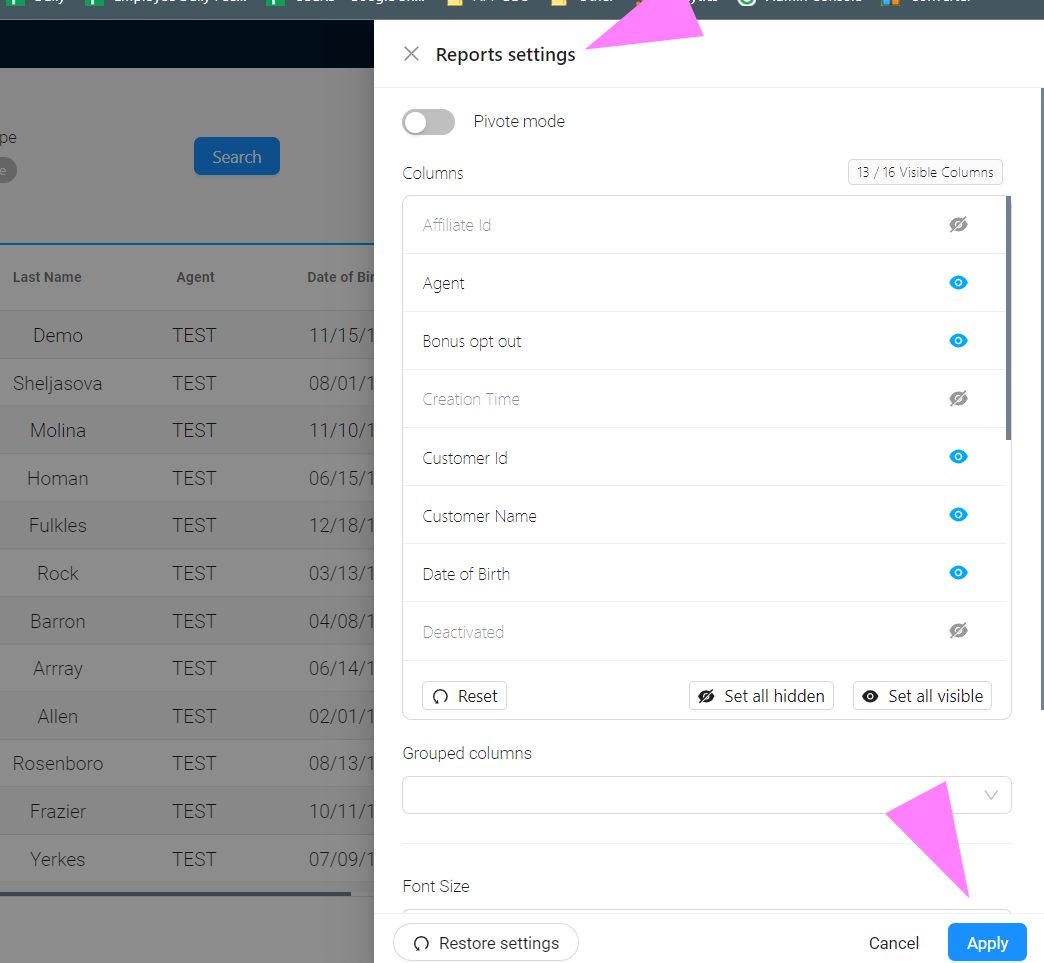
- 1. Click Report Settings and select the items needed to customize your report.
- 2. Once all items are selected (or unselected) as needed, click 'apply'.
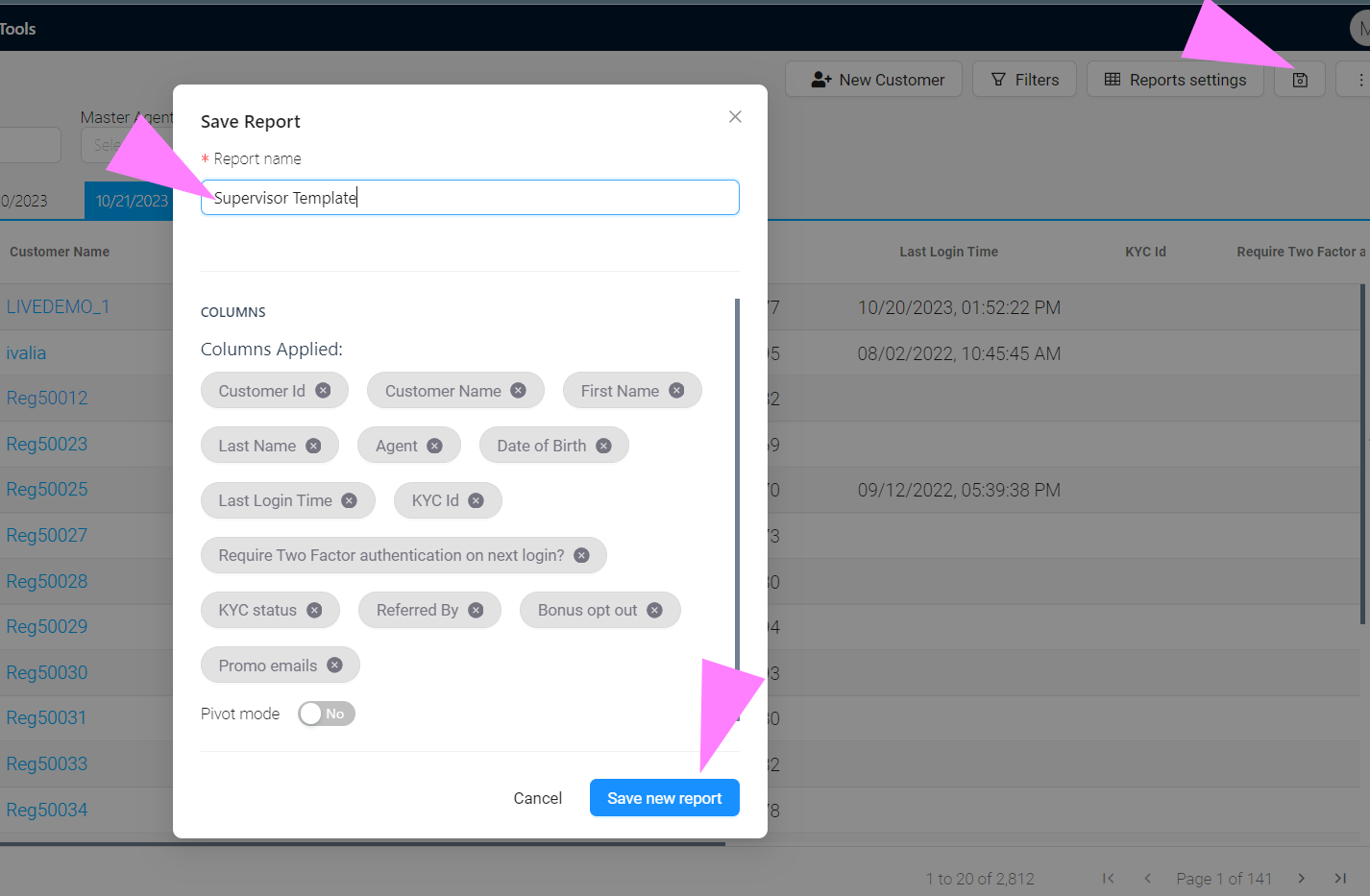
- 3. Click 'save' (disk logo):
In this section you can create your own report name. - 4. Click 'Save new report'.
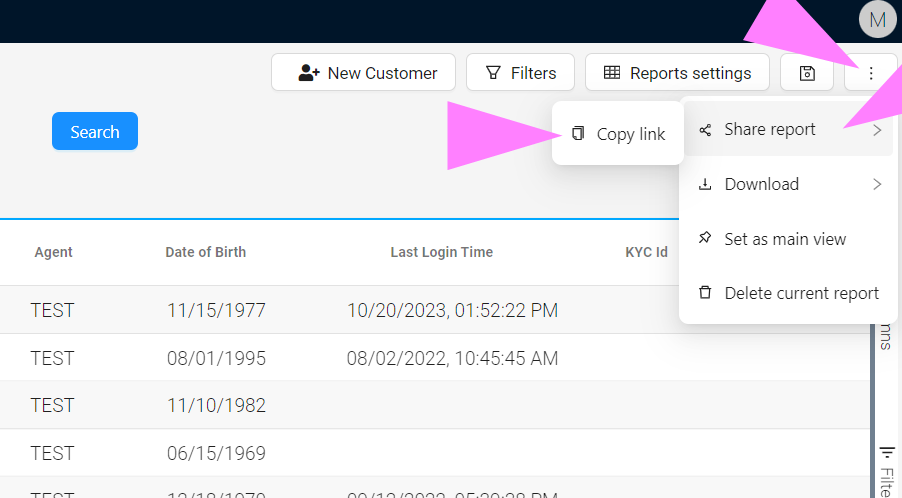
- 5. Click the Report Options (three dots).
- 6. Besides downloading your new template, you can also share your template via Link.