Go Back
About Agents Management
Here, you can access information about agent lists, transaction details, and payment agents for efficient management.
The Settlement Agent is the Agent responsible for the transactions of your Agency and the Parent Company
In the 'Settlement Agents' section, the user can view:
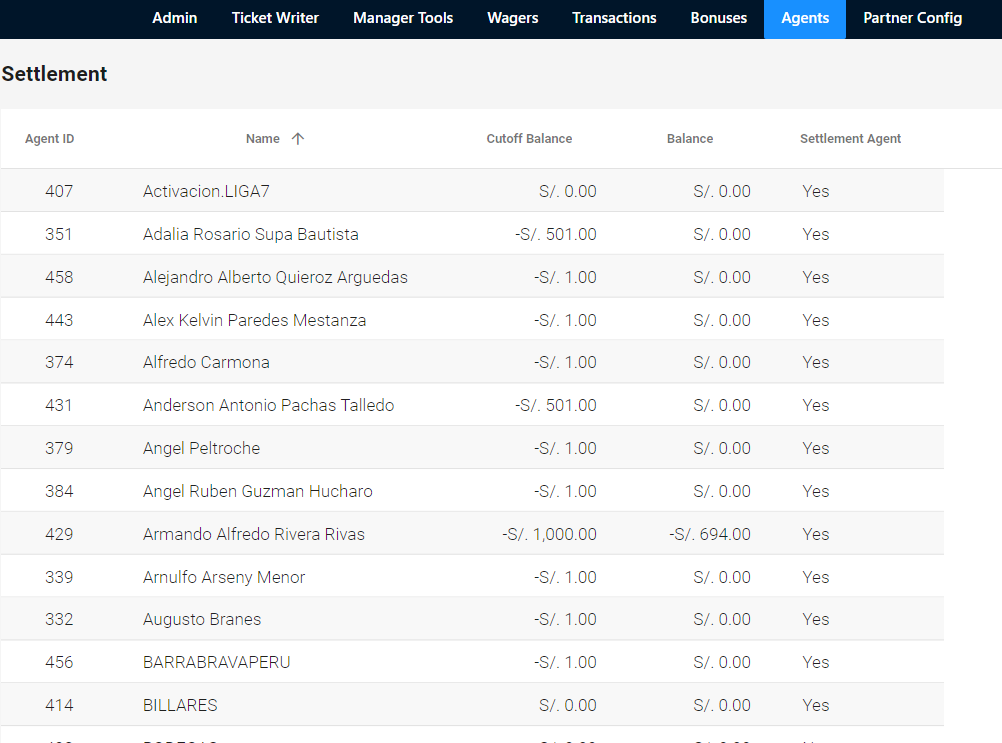
In the 'Settlement Agents' section, the user can view:
- 1.Name: Name of Agent
- 2.Limit Balance: It is the maximum allowed by agent to carry out transactions (sale of tickets, transfers)
- 3.Balance: Amount that has been used from the Limit Balance or amount that has been accumulated for Ticket Withdrawal
- 4.Settlement Agent: Yes or No: Agent Yes is configured as Settlement Agent or Agent No is configured as Settlement Agent.
- 5.Actions: To make Deposits or Withdrawals
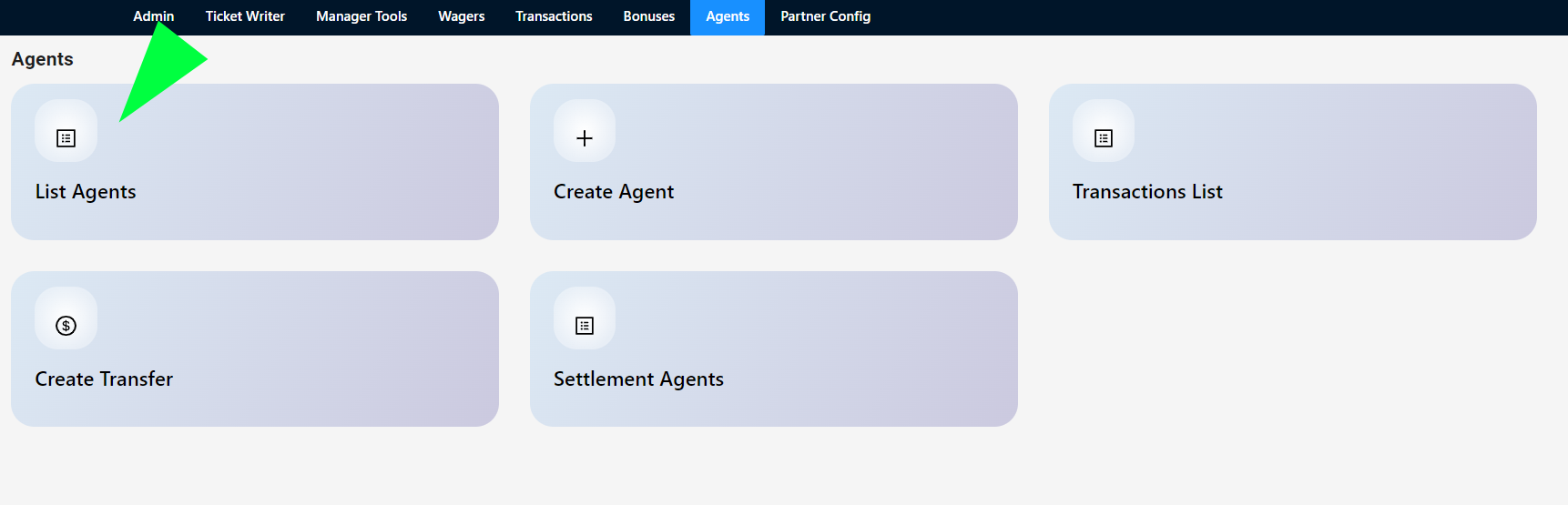
1. Enter 'Agent List'
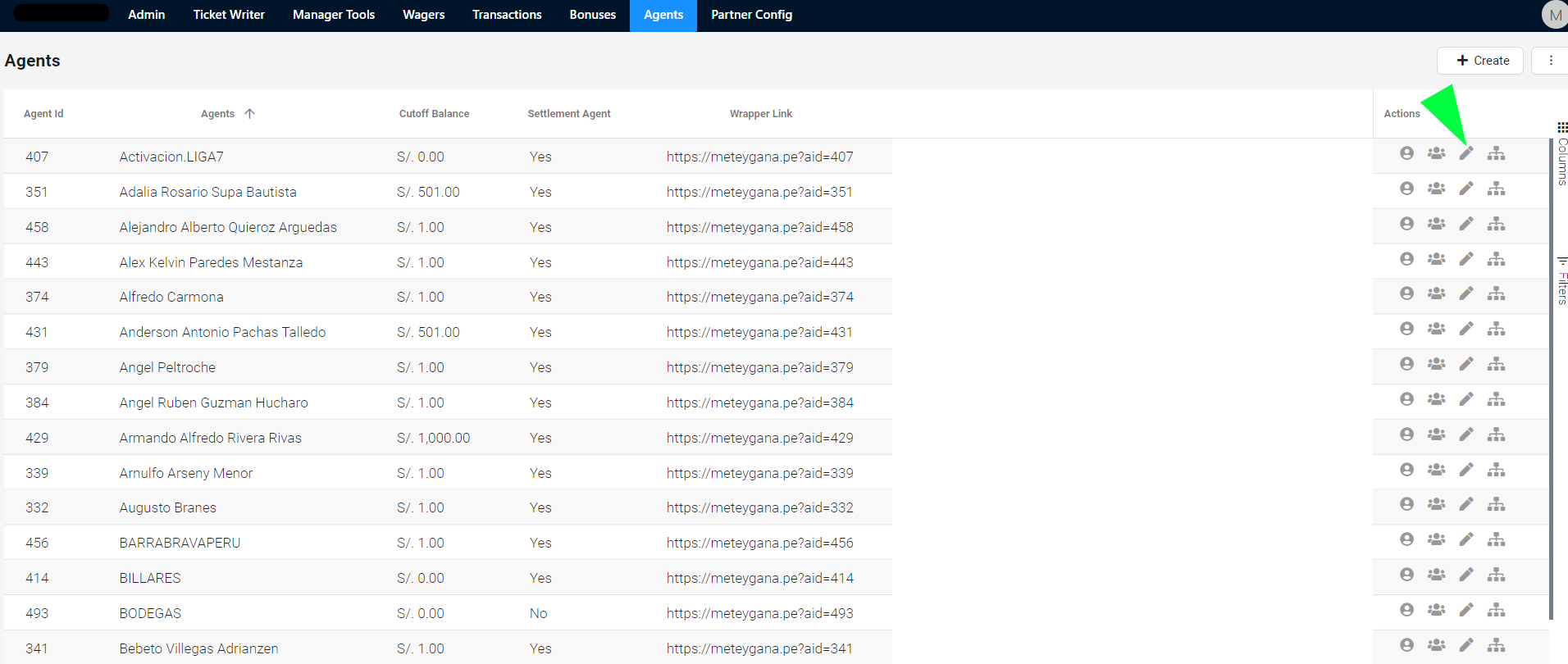
2. Select the Edit Agent icon
3. In the 'Limit Balance' option, enter the amount by which you want to limit the Agent (Cutoff Balance) and Save.
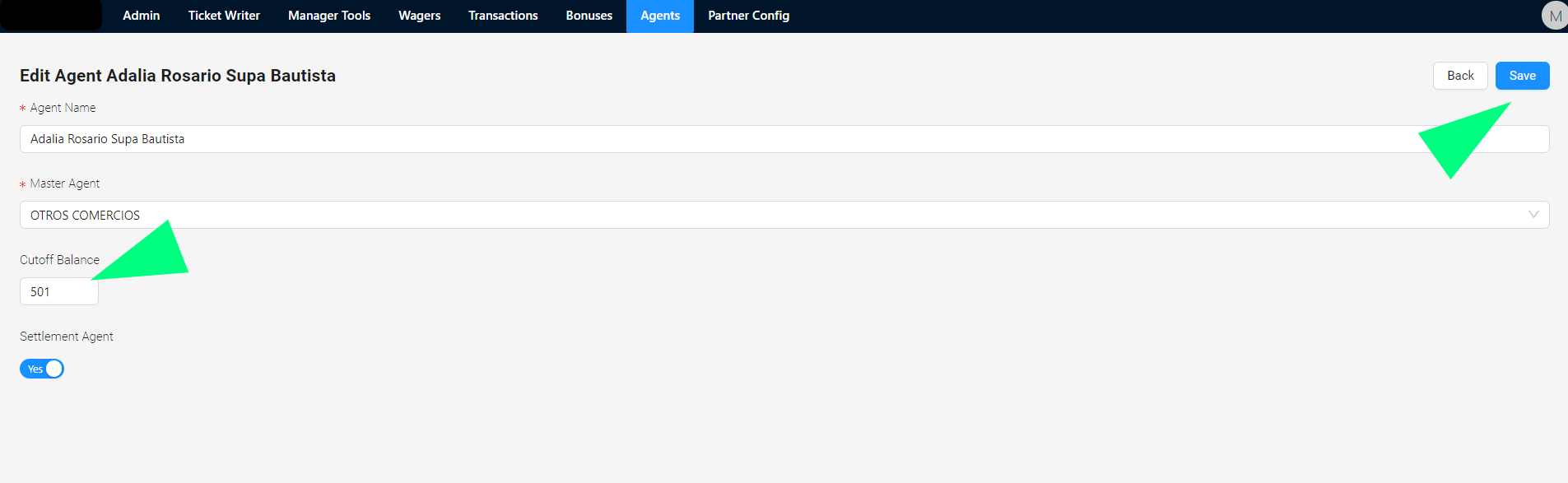
2. Select the Edit Agent icon
3. In the 'Limit Balance' option, enter the amount by which you want to limit the Agent (Cutoff Balance) and Save.
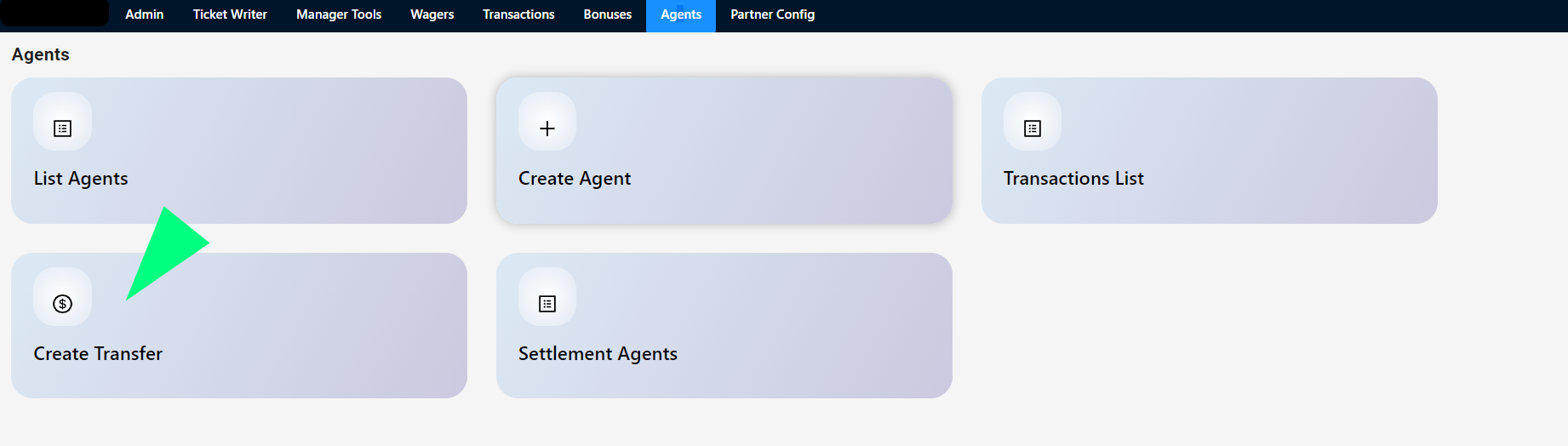
1. Select the 'Create Transfer' option
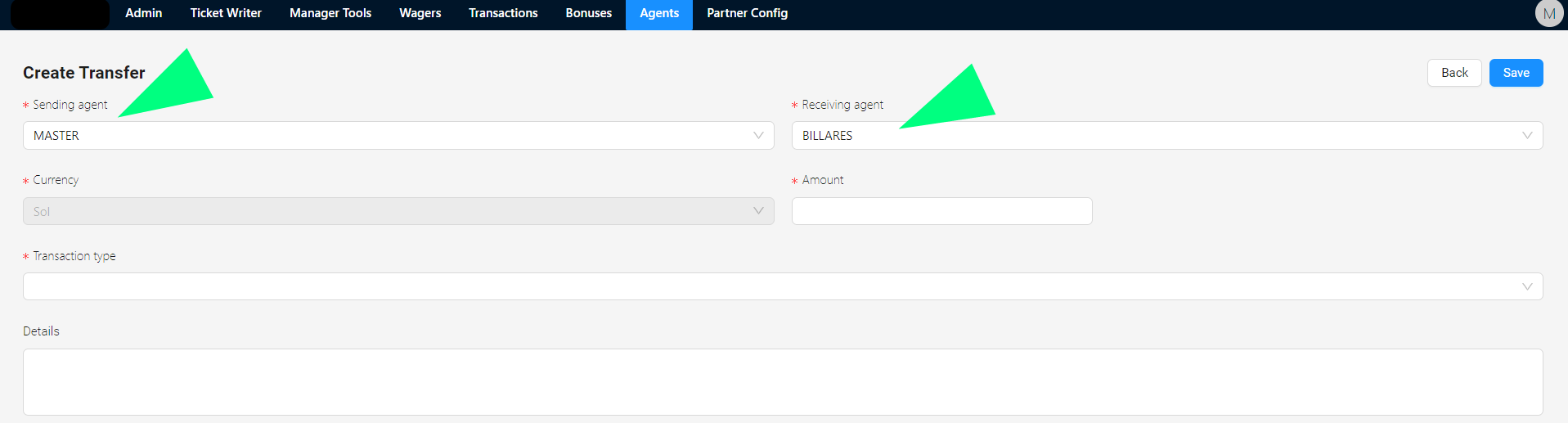
2. 'Issuing Agent'
The Issuing Agent is the Agent that generates the withdrawal
e.g. If Master must make a payment transaction to the Billares Agent, the Issuing Agent in this case would be Master
3. 'Fate Agent'
The Destination Agent is the one who receives the transfer
e.g. If the Billares Agent needs to pay Master, the Destination agent would be in this case 'Master'
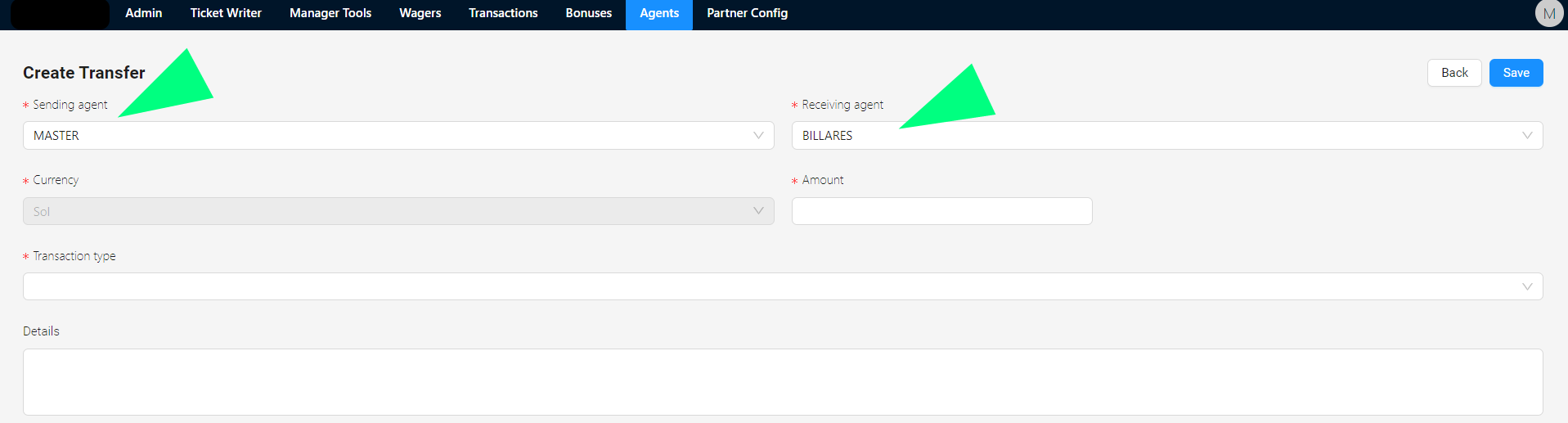
2. 'Issuing Agent'
The Issuing Agent is the Agent that generates the withdrawal
e.g. If Master must make a payment transaction to the Billares Agent, the Issuing Agent in this case would be Master
3. 'Fate Agent'
The Destination Agent is the one who receives the transfer
e.g. If the Billares Agent needs to pay Master, the Destination agent would be in this case 'Master'
The Settlement Agent is the Agent responsible for the transactions of your Agency and the Parent Company
In the 'Settlement Agents' section, the user can view:
1. Name: Name of Agent
2. Limit Balance: It is the maximum allowed by agent to carry out transactions (sale of tickets, transfers)
3. Balance: Amount that has been used from the Limit Balance or amount that has been accumulated for Ticket Withdrawal
4. Settlement Agent: Yes or No: Agent Yes is configured as Settlement Agent or Agent No is configured as Settlement Agent.
5. Actions: To make Deposits or Withdrawals
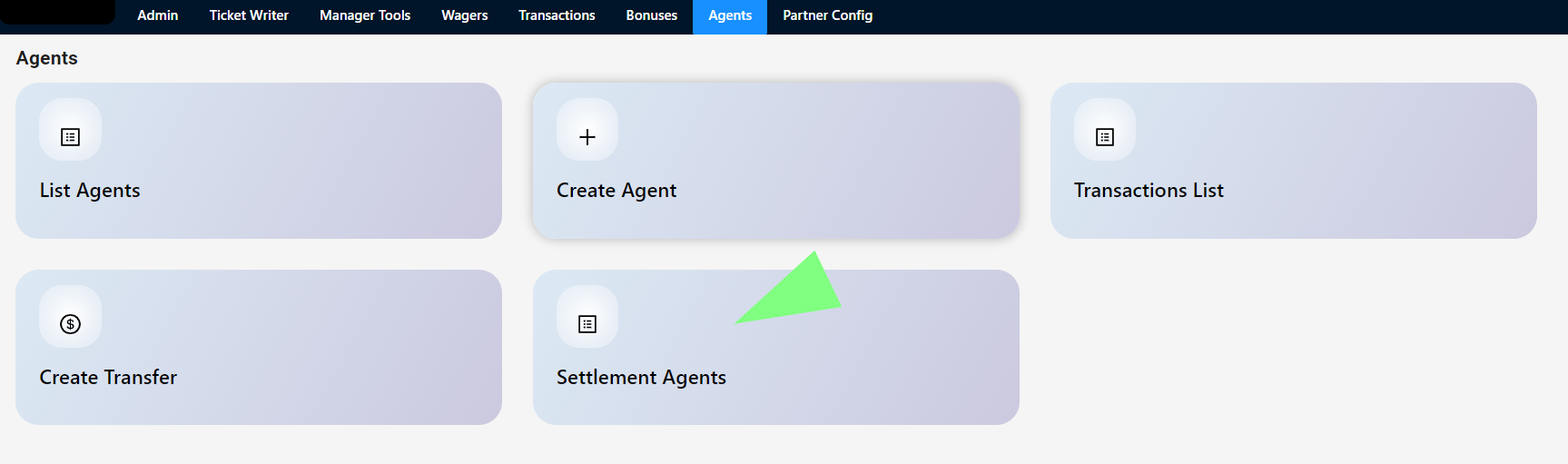
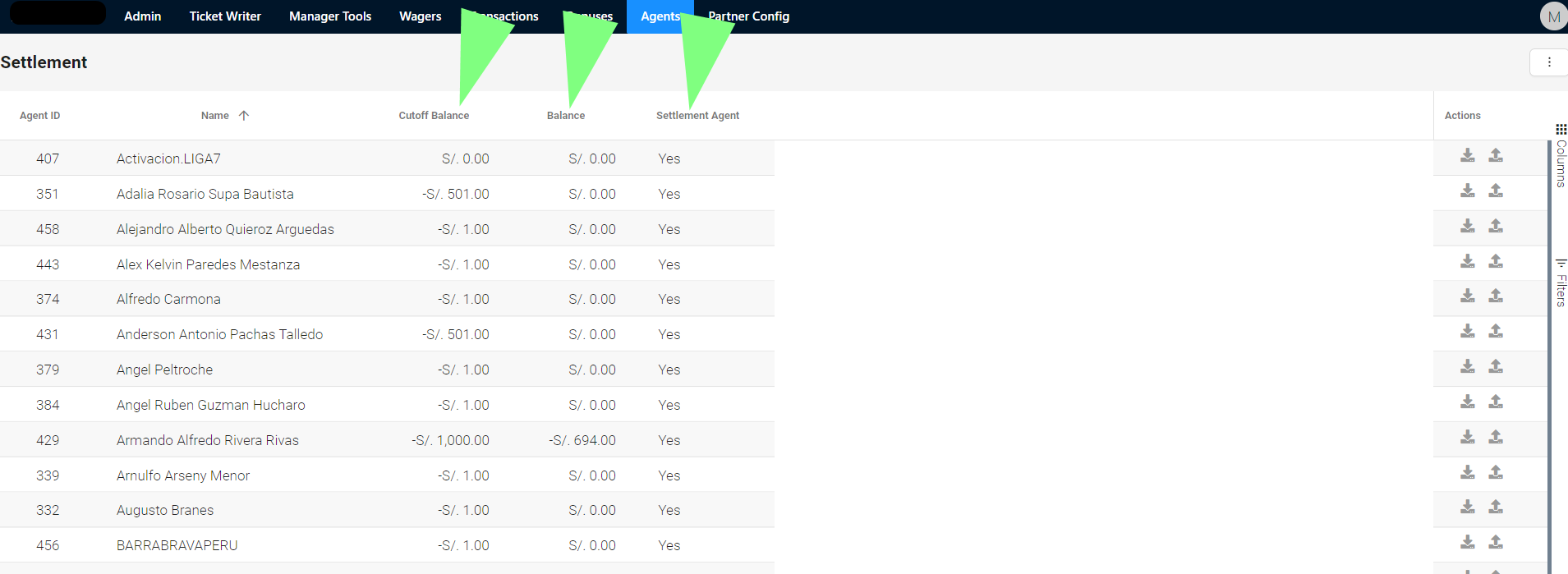
In the 'Settlement Agents' section, the user can view:
1. Name: Name of Agent
2. Limit Balance: It is the maximum allowed by agent to carry out transactions (sale of tickets, transfers)
3. Balance: Amount that has been used from the Limit Balance or amount that has been accumulated for Ticket Withdrawal
4. Settlement Agent: Yes or No: Agent Yes is configured as Settlement Agent or Agent No is configured as Settlement Agent.
5. Actions: To make Deposits or Withdrawals
The concept of balance indicates the position of the agent with respect to the parent company. An agent with a negative balance owes the negative amount to the parent company, while an agent with a positive balance would expect to collect that amount from the parent company.
Let's see an example:
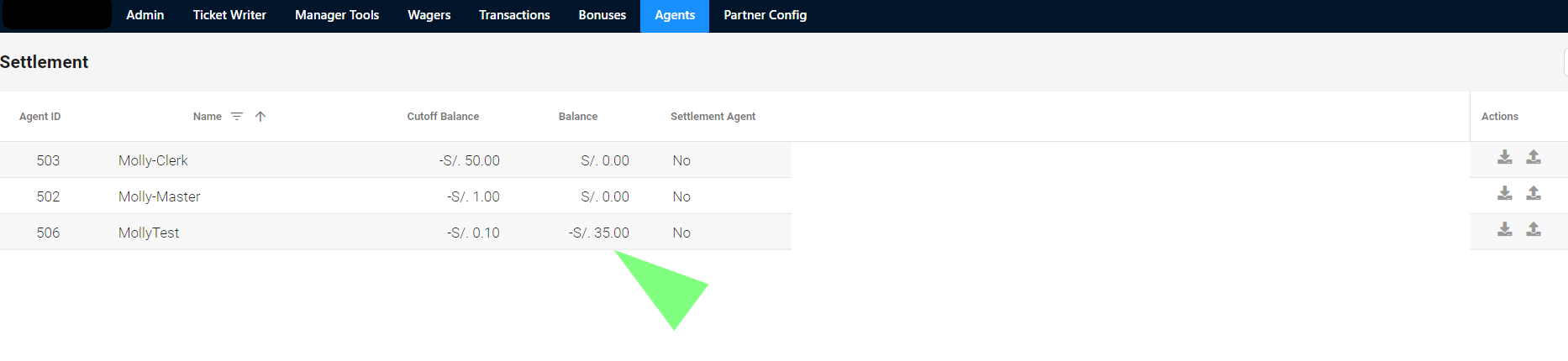
An agent with:
- Balance -S/5,000, you should transfer those S/5,000 to the parent company, in order to remain at S/0. Without debt.
- Balance S/5,000 indicates that the agent is owed by the parent company S/5,000.
- A balance with S/0 indicates that the agent does not owe and is not owed money.
The limit balance is represented in negative, since it is the maximum amount that an agent can owe to the parent company
Let's see an example:
An agent with:
- Balance -S/5,000, you should transfer those S/5,000 to the parent company, in order to remain at S/0. Without debt.
- Balance S/5,000 indicates that the agent is owed by the parent company S/5,000.
- A balance with S/0 indicates that the agent does not owe and is not owed money.
The limit balance is represented in negative, since it is the maximum amount that an agent can owe to the parent company